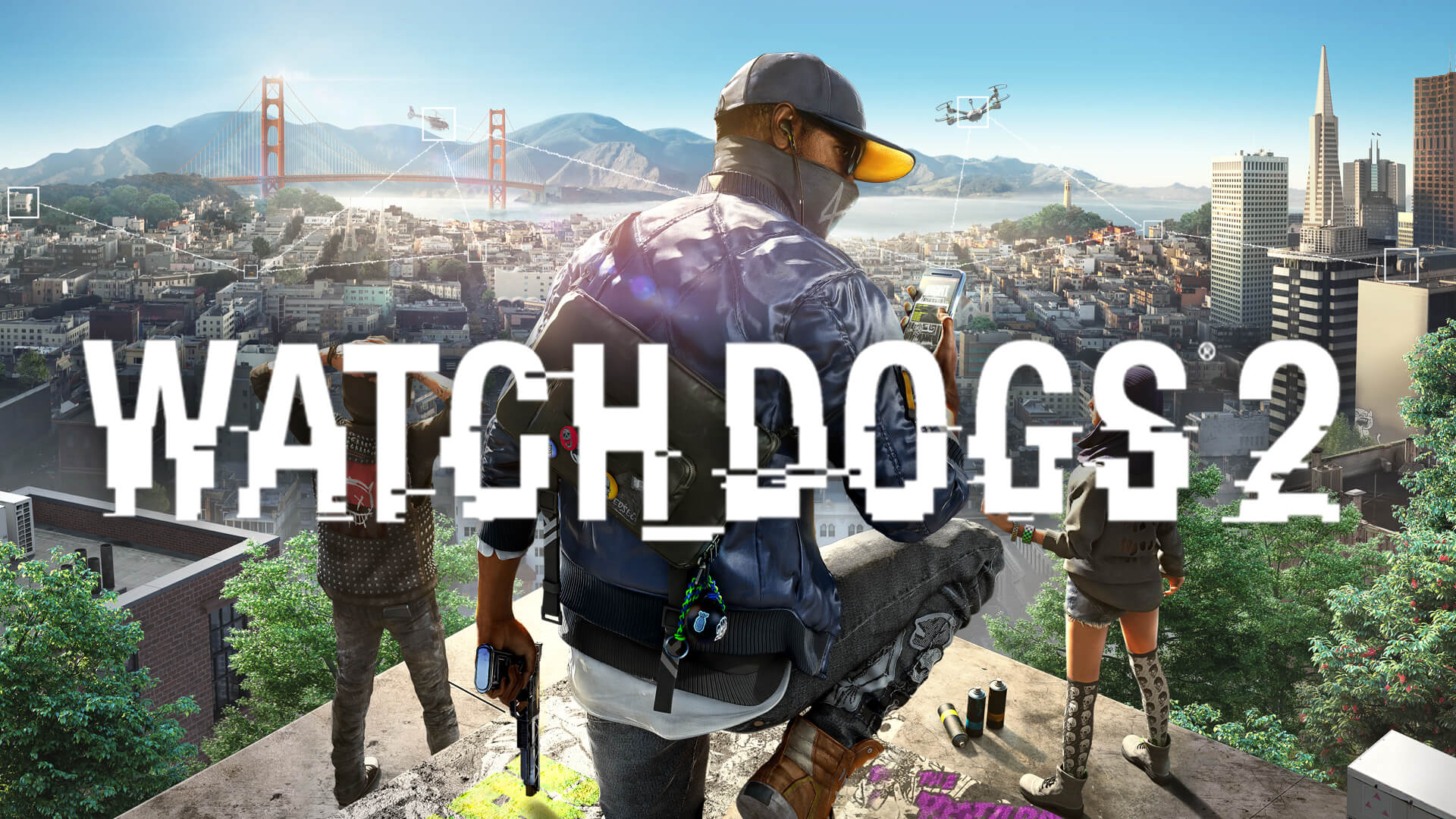
The digital world of San Francisco in Ubisoft’s open-world masterpiece is vibrant, chaotic, and undeniably stylish. If you are looking for the perfect watch dogs 2 wallpaper to reflect your love for DedSec and the hacker culture, you’ve come to the right place. Customizing your desktop or mobile device with a high-quality watch dogs 2 wallpaper is the best way to bring that high-tech, rebellious energy from your monitor into your everyday life.
Why Your Digital Workspace Needs a DedSec Makeover
Customization is at the heart of the hacker experience. Just as Marcus Holloway modifies his gadgets and clothes, personalizing your workspace helps you immerse yourself in the game's atmosphere. Whether you prefer the glitch-art aesthetic of the game's UI or the iconic silhouette of the DedSec mask, a well-chosen background enhances your setup's visual appeal.
Beyond aesthetics, using official or high-definition imagery ensures that your screen looks crisp. With the game’s unique color palette—heavy on neon blues, oranges, and glitchy overlays—you can create a cohesive theme that stands out from generic nature or abstract backgrounds.
Where to Find High-Quality Watch Dogs 2 Art
Finding the right image can be overwhelming due to the sheer volume of options online. From community-curated platforms to fan-art hubs, the choices are endless. Below is a breakdown of the best sources for your next background.
| Source Type | Best For | Quality Range |
|---|---|---|
| WallpaperCave | Community collections | HD to 8K |
| Aesthetic inspiration | Variable | |
| Official Ubisoft Media | Concept art & Marketing | 4K / High Res |
| Steam Community Hub | In-game screenshots | 1080p to 4K |
Optimizing Your Selection Always check the resolution before downloading. For desktop users, ensure the aspect ratio matches your monitor (e.g., 16:9 for standard 1080p/1440p displays) to avoid blurry, stretched images.
How to Change Your Smartphone Wallpaper In-Game
Did you know you can actually customize Marcus’s smartphone background while playing the game? According to community reports, players often overlook the built-in customization settings that allow you to switch the phone's wallpaper to match your mood.
Steps to update your in-game smartphone UI:
- Open your smartphone menu in-game.
- Navigate to the Game Options tab.
- Select Settings.
- Look for the Smartphone Wallpaper sub-menu.
- Browse the list of available designs and select your favorite.
| Popular In-Game Wallpapers | Aesthetic Style |
|---|---|
| Golden Gate Bridge | Scenic / Iconic |
| City Skyline | Urban / Night |
| Glitch / Grid | Cyberpunk |
| MIT / Poker Face | Abstract |
Selecting the Right Aesthetic for Your Setup
When choosing a watch dogs 2 wallpaper, consider the mood of your overall setup. If you run a minimalist desk, opt for cleaner, darker designs that don't overwhelm your desktop icons. If you are a fan of Wrench, look for high-contrast, colorful art that features his signature mask and chaotic energy.
For those who want to dive deeper into the lore, you can find incredible concept art on the official Watch_Dogs® 2 Steam page. Official assets often provide the most detailed look at the character designs and the sprawling map of the San Francisco Bay Area.
Common Mistakes When Choosing Backgrounds
Many players struggle with "visual clutter." A common mistake is selecting an image with too much detail in the center of the screen, which makes it hard to see your desktop icons or widgets.
- Avoid: Images with complex patterns in the middle.
- Try: Using images where the focal point (like Marcus or a DedSec logo) is off-center.
- Pro Tip: Use a "Dark Mode" theme for your OS to match the hacker-tech aesthetic of the game.
Managing Your Wallpaper Gallery
If you are a collector, you might find yourself with dozens of images. Using a dedicated folder for your game backgrounds allows you to use features like "Windows Slideshow" to rotate your watch dogs 2 wallpaper automatically every few hours. This keeps your setup feeling fresh without the need to manually search for new content every week.
| Wallpaper Category | Recommended Use |
|---|---|
| Character Focus | Best for mobile screens |
| Landscape / Cityscape | Best for ultra-wide monitors |
| Minimalist Logos | Best for professional/office setups |
| Glitch / Effect Art | Best for gaming-centric setups |
FAQ: Everything About Watch Dogs 2 Visuals
Q: Where can I find the highest quality watch dogs 2 wallpaper for my 4K monitor? A: Sites like WallpaperCave are excellent for high-resolution uploads. You can filter by "4K" or "8K" to ensure the pixel density is high enough for large, modern displays.
Q: Can I use in-game screenshots as wallpapers? A: Absolutely! The game’s photo mode is incredibly robust. You can capture stunning shots of the Golden Gate Bridge or the city at night. These often make the most unique backgrounds because they are specific to your playthrough.
Q: Are there mobile-specific wallpapers available? A: Yes. Many community sites offer vertical-oriented images specifically for iPhone and Android devices, often focusing on close-ups of characters like Wrench or Marcus.
Q: Why is my wallpaper blurry after downloading? A: This usually happens when the image resolution is lower than your monitor's native resolution. Always aim for a download size that matches or exceeds your screen dimensions (e.g., 3840x2160 for 4K).
By following these tips, you can ensure your digital environment reflects the high-octane, tech-savvy world of Watch_Dogs® 2. Whether you want a subtle nod to the game or a full-blown DedSec takeover, the right imagery makes all the difference.