Best Watch Dogs 2 Graphics Mod Picks for Stunning Visuals
Discover the best Watch Dogs 2 graphics mod options to transform San Francisco. Learn how to install visual enhancements and improve your gameplay experience.
Published:
Table of Contents
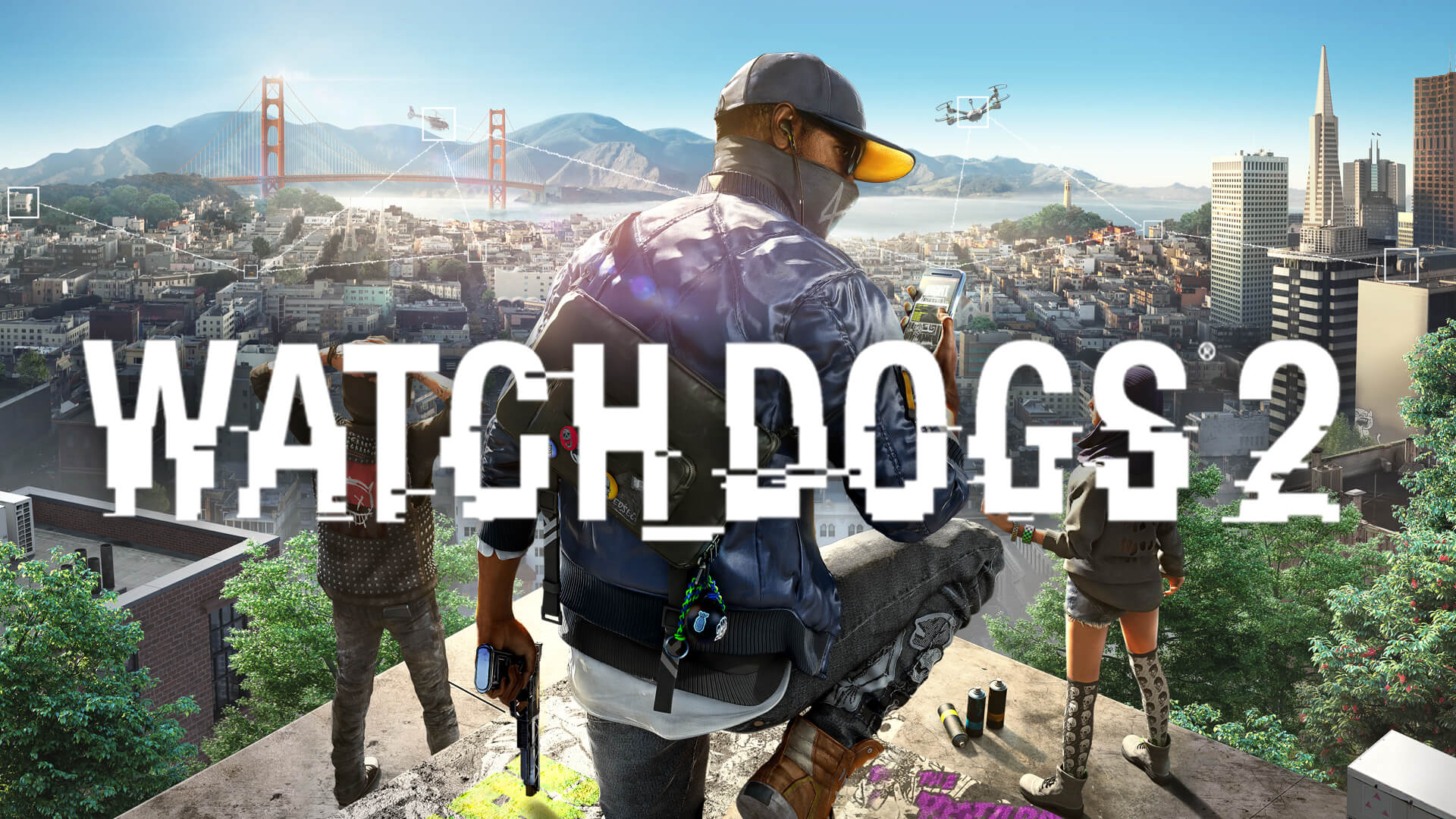
The streets of San Francisco in Watch_Dogs® 2 are iconic, but even years after release, players are finding new ways to push the game’s visual boundaries. If you are looking for the best watch dogs 2 graphics mod options, you have come to the right place to elevate your hacking experience.
Enhancing your game with a watch dogs 2 graphics mod is more than just a vanity project; it is about reclaiming the immersion of a vibrant, digital-age open world. Whether you want to achieve a photorealistic look or simply fix technical inconsistencies, the community-driven modding scene has provided tools that make the game feel brand new in 2026.
Why You Should Use a Watch Dogs 2 Graphics Mod
The primary reason to install a watch dogs 2 graphics mod is to bridge the gap between the game's original release visuals and modern display standards. While the game still holds up well, newer hardware often highlights lighting limitations or frame-pacing issues that mods can easily resolve.
Visual Comparison Overview
Mod Type
Primary Benefit
Target Audience
ReShade Presets
Enhanced lighting & color
Photorealism seekers
Texture Packs
High-resolution assets
High-end GPU users
Fixes & Patches
Stability & smoothness
All players
By applying a well-curated watch dogs 2 graphics mod, you are essentially fine-tuning the game’s post-processing stack. Community reports suggest that using a "Real Life" ReShade preset can drastically shift the color grading, making the sunsets over the Golden Gate Bridge feel significantly more cinematic.
Essential Tools for Modding Success
Before diving into specific visual tweaks, you need a stable environment. Modding Watch_Dogs® 2 requires a proper manager to ensure files do not conflict. According to community feedback, the DEDSEC Mod Manager is the current gold standard for managing complex installations.
Recommended Modding Utilities
Tool Name
Function
Why Use It?
DEDSEC Manager
Archive merging
Prevents file conflicts
Pioneer Manager
Load order support
Better compatibility
LuaU Utility
Script support
Enables advanced mods
Always remember that installing mods involves modifying the game's patch archives. Using a manager like DEDSEC allows you to easily roll back changes if something goes wrong, making it an essential safety net for your installation process. You can find the base game on the official Watch_Dogs® 2 Steam page.
Achieving Photorealism: ReShade and Beyond
If your goal is to make the game look like a modern release, prioritize ReShade presets. The "Watch Dogs 2 Real Life ReShade" is a community favorite that focuses on sharpening details and refining lighting without "deep frying" the image.
Choosing the right ReShade
Always look for presets that mention "HDR-ish" or "Cinematic" grading. Avoid presets that over-saturate colors, as they often clash with the game’s original, stylized art direction.
When setting up your watch dogs 2 graphics mod, consider these steps for optimal results:
Download a reputable ReShade injector.
Place the preset files in your game’s root directory.
Use the in-game overlay to toggle effects and adjust intensity.
Test lighting in different time-of-day cycles to ensure the colors remain balanced.
Fixing Technical Hurdles: Stability and Performance
Visuals are nothing if your game suffers from stuttering or physics glitches. A significant portion of the community modding effort is currently dedicated to fixing engine-level issues that affect modern high-refresh-rate monitors.
Must-Have Performance Fixes
Issue
Mod/Fix
Impact
Stuttering
RTX Flicker Fix
Eliminates screen flashing
Physics
High FPS Movement Fix
Removes strafe sliding
Loading
Faster Startup Mod
Reduces wait times
Community reports highlight that the "High FPS Movement Fix" is crucial for anyone playing above 60 FPS. Without this mod, the game's Havok physics engine struggles to keep up, leading to annoying "strafe sliding" animations. By re-timing the physics step to a fixed 60Hz, you keep your high framerate while maintaining character movement integrity.
Managing Your Mod Library
With so many options available, it is easy to clutter your game folder. Organize your mods by category: Visuals, Physics, and Gameplay. This makes it significantly easier to troubleshoot if you encounter a crash.
Best Practices for Mod Installation
Backup your files: Always keep a copy of your original patch.dat and patch.fat files.
Check compatibility: Ensure your version of the game matches the mod requirement (e.g., Watch_Dogs® 2 Extended updates).
Read the logs: If a mod fails to load, check the mod manager’s log file; it usually points to a missing dependency like a specific Lua utility.
FAQ: Frequently Asked Questions
Q: Do I need a powerful PC to run a watch dogs 2 graphics mod?
A: Most ReShade presets are very lightweight. However, if you use high-resolution texture packs, you will need a GPU with sufficient VRAM to avoid performance drops.
Q: Can I get banned for using mods in Watch Dogs 2?
A: Most graphical mods are safe for single-player use. However, always ensure you are using an EAC (Easy Anti-Cheat) bypasser if your mod manager provides one, and avoid using gameplay-altering mods in multiplayer modes.
Q: Where is the best place to find the latest updates?
A: The Nexus Mods page for Watch Dogs 2 is the most reliable community hub for finding the latest patches, visual mods, and performance fixes.
Q: How do I revert to the original look?
A: If you use the DEDSEC Mod Manager, you can simply uninstall or disable the mods through the interface. If you installed manually, you will need to replace your modified patch files with your original backups.